
The minimum you should be able to send your web designer
If you are short on time, start here.
Minimum website information checklist:
That is enough to start a useful conversation.
Things you should provide
These are the areas where the business owner is the source of truth.
1. Your correct business name
Provide the exact name you want customers to see.
If your legal company name is different from the trading name, tell the designer which one should appear publicly and where the legal name needs to be used.
Also mention any common abbreviation or spelling issue customers encounter.
Do not make the designer guess from a Facebook username or an old logo.
2. Contact information
Send the details customers should actually use:
- phone number
- email address
- physical address, if customers visit you
- postal address, only if needed
- preferred contact method
- opening hours, if relevant
If you do not want your personal mobile number public, decide that before launch rather than after it has been placed across the site.
3. Where you work or who you serve
For a local NZ service business, service area information is important.
Be specific enough to be useful.
Instead of "Canterbury", you might say:
"Christchurch, Rolleston, Lincoln and surrounding Selwyn areas. Larger jobs elsewhere in Canterbury considered by arrangement."
Only say that if it is true, of course.
A designer should not invent a long list of towns simply to make the site look more local.
4. Your services
List every service you currently want to sell.
Then add a rough explanation for each one. It does not need to sound polished.
For example:
Service: Deck building
What we actually do: New timber decks, replacing old decks, stairs and basic repairs. Mostly residential. We can help with layout but do not offer architectural design.
That rough description is far more useful than writing "premium outdoor transformations" because you think website copy needs to sound fancy.
Facts first. Polishing comes later.
5. The type of customers and jobs you want
Tell the designer which work matters most.
A painter who wants residential repaints needs a different emphasis from a painter trying to win commercial maintenance contracts.
Useful notes include:
- residential or commercial
- small jobs or larger projects
- one-off work or recurring services
- geographic priorities
- services you want more of
- services you technically offer but do not want to promote heavily
This helps the site guide the right enquiries instead of treating every possible customer equally.
6. Your logo and brand files
If you already have a logo, send the best-quality original files you have.
Useful formats may include SVG, PDF, EPS or high-resolution PNG, depending on what was supplied by the original designer.
Also send any confirmed brand colours, fonts or brand guide.
If all you have is a small logo copied from Facebook, send it anyway and tell the designer that is the only version available. It is better to know early.
Do not ask them to rebuild or alter a logo unless logo work is actually part of the agreed scope.
7. Real photos
Real photos can do more for a small-business website than another paragraph of marketing copy.
Depending on the business, useful photos include:
- completed jobs
- before-and-after photos
- team or owner photos
- workshop or premises
- vehicles/signage
- equipment where relevant
- products
- the service being performed
Send the highest-quality originals you have rather than screenshots from Facebook wherever possible.
Do not overthink photography before the project can begin. If the current photos are weak, the designer can tell you what would be most valuable to capture next.
8. Reviews and testimonials
Provide genuine reviews you are entitled to use and make the source clear.
For each one, include whatever attribution you can appropriately publish, such as first name, business name or platform source.
Do not rewrite customer comments into claims they did not make.
If you have no testimonials yet because the business is new, say so. The site can use other trust signals rather than inventing social proof.
9. Pricing, packages or offers where applicable
If pricing belongs on the site, supply the real numbers and the conditions that affect them.
For example:
"Lawn mowing from $45, based on a standard suburban section. Final price depends on access and lawn size."
Or:
"We quote each renovation individually. No fixed starting price."
Both are useful.
The designer should not make up a "from" price because it looks good in a pricing card.
Also provide any current offer wording, expiry date or eligibility rules.
10. Your process
Explain what normally happens when a customer contacts you.
For example:
- Customer sends photos and address.
- You call to clarify the job.
- You visit if needed.
- You send a written quote.
- Work is booked after approval.
This can become a simple "How it works" section and reduce uncertainty for customers.
11. Frequently asked questions and common objections
Think about the questions customers repeatedly ask before buying.
Examples:
- Do you supply materials?
- Do I need to be home?
- Which areas do you travel to?
- Do you work on commercial properties?
- Can I get a quote from photos?
- Is there a minimum job size?
These questions are excellent raw material because they come from real customers rather than an SEO tool.
12. Existing website and domain access
If the project replaces an existing site, tell the designer:
- the current website address
- where the domain is registered, if known
- who has the login
- where the current site is hosted, if known
- whether email is connected to the domain
- whether anything from the existing site must be preserved
Do not cancel an existing domain or hosting service just because a new site is being built. The designer may need information from it first, and domain email can be affected by careless DNS changes.
Things you do not need to have perfectly finished
This is where many small-business owners get stuck unnecessarily.
1. A perfect homepage headline
You do not need to arrive with the final headline.
Something as rough as:
"We build fences and decks around Christchurch, mostly for homeowners. We want to look reliable and straightforward, not fancy."
is enough to work from.
A designer or copywriter can turn the raw message into a concise headline without changing the truth.
2. A finished sitemap
You should know your services, but you do not need to decide whether each service gets its own page before speaking to the designer.
That decision depends on how distinct the services are, how much information exists and what customers need.
Use What Pages Does a Small Business Website Need? A Practical NZ Guide if you want to sketch a first draft yourself.
3. Polished website copy
Do not delay the entire project because your About page does not sound "professional" yet.
Supply facts, stories, rough notes and the phrases you naturally use with customers.
That is often better source material than copy written to sound corporate.
If your web designer includes content help, they can shape it into the final page.
4. Calls to action
You do not need to decide whether every button says "Get Started", "Request a Quote" or "Contact Us".
What you do need to explain is the action you actually want customers to take.
For example:
"For most jobs, I want people to text or send the form with a few details."
That gives the designer something real to build around.
5. Meta descriptions and SEO wording
You do not need to supply page titles, meta descriptions, internal linking plans or a list of exact keywords unless that is specifically part of your role in the project.
You do need to be accurate about the services, customers and locations.
Those business facts are the foundation the SEO copy should reflect.
6. Perfect photography
Professional photography can be valuable, but it is not always a prerequisite for starting the project.
Send what you have. Your designer can identify the most damaging gaps.
You may discover that one good owner photo and five genuine project photos are more important than organising an expensive shoot for 40 images.
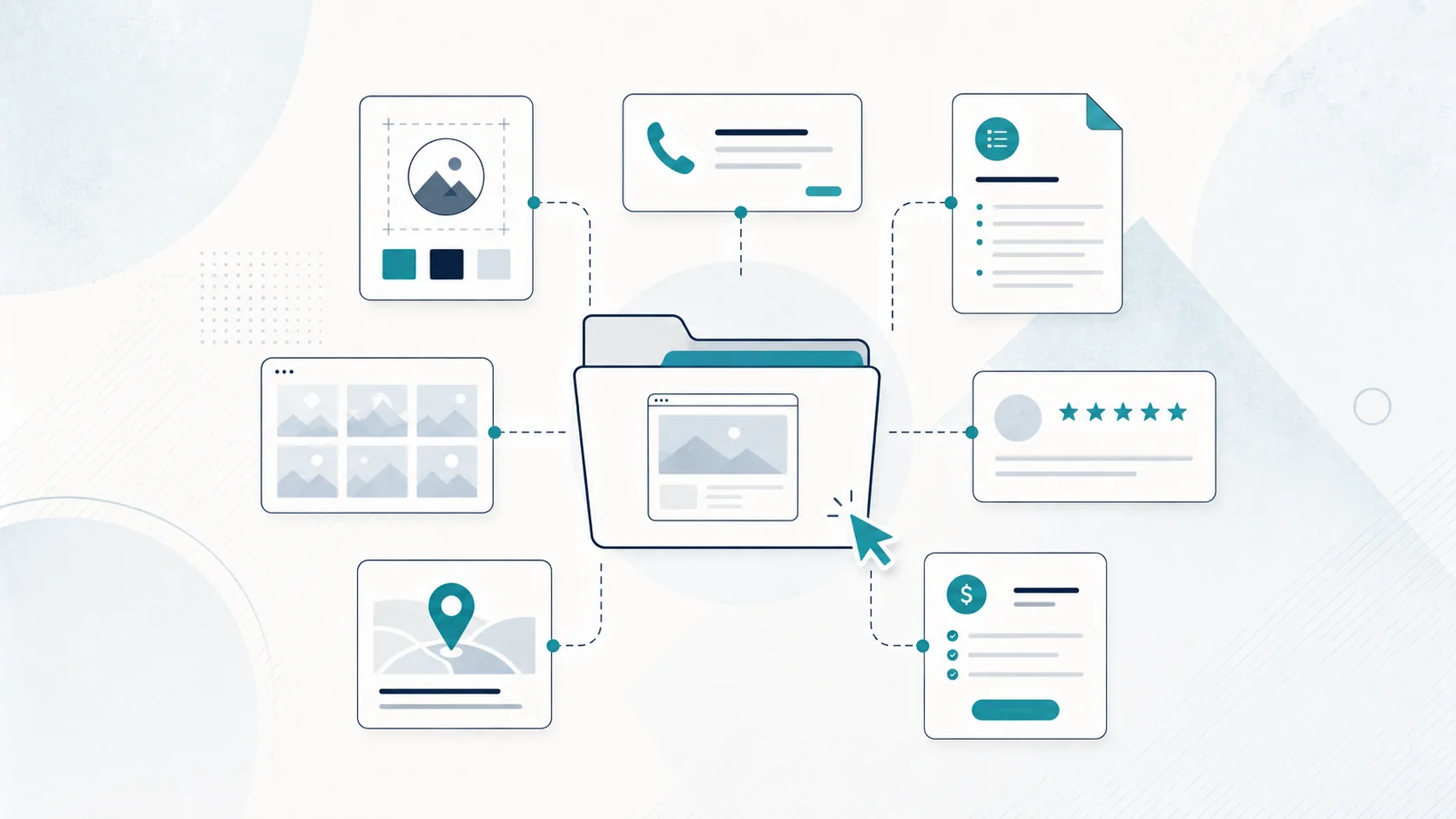
A simple folder structure to send your designer
You can make the handover painless with one folder.
01 - Logo and brand
02 - Business details
03 - Services
04 - Photos
05 - Reviews
06 - Pricing and offers
07 - Existing website or domain info
08 - Inspiration / examples
Inside "Business details", add a plain document containing:
Business name:
Phone:
Email:
Address/service area:
Hours:
Main contact:
Social links:
Preferred enquiry method:
Inside "Services", create a short note for each service with:
Service name:
What it includes:
Who usually buys it:
What customers commonly ask:
Anything you do not offer:
Related photos:
It does not need to be pretty. It needs to be accurate.
What website examples should you send?
It can help to send two or three websites you like, but explain why.
"I like this one" is less useful than:
- I like how quickly it explains the service.
- I like that the phone number is obvious on mobile.
- I like the simple project gallery.
- I do not like the animations, but I like the layout.
You can also send examples you dislike.
The goal is not to ask your designer to copy another business. It is to communicate your preferences more clearly.
What if I barely have any content?
That is common for new small businesses.
Start with what is true now.
If you have:
- a business name
- contact details
- a clear service
- a real service area
- a few photos
- an explanation of how customers hire you
there may already be enough raw material for a simple site.
If you do not have reviews, do not invent them.
If you do not have ten projects, do not pretend you do.
If you do not have a complicated brand story, do not manufacture one.
A small website can still look professional by being clear and honest.
What should I send first if the designer is waiting?
Send this today:
- Business name and contact details.
- Service list.
- Service area.
- Rough notes describing what you do.
- Logo.
- Best available photos.
- Any genuine reviews.
- Pricing or quote process.
- Existing domain/website details.
- Anything that absolutely must or must not appear.
Do not hold up those basics while you spend three nights rewriting one headline.
Better Site clients do not need finished website copy
One of the reasons Better Site helps with website copy/content is that small-business owners should not need to become copywriters before they can hire a web designer.
If you can explain your business in ordinary language, that is useful source material.
If you are still deciding whether to build the site yourself, read Wix vs Web Designer: Which Is Better for an NZ Small Business?
If you are unsure what pages all this information should go on, start with What Pages Does a Small Business Website Need? A Practical NZ Guide."